The ad refresh feature maximizes the monetization of your ad inventory by sequentially delivering multiple ads within the same placement during a single user session. Instead of a static delivery, ads are automatically reloaded at specified intervals, cycling through the assigned ad group.
The ad refresh option is controlled on the ad group level. To enable the feature, follow these steps:
Once enabled, the ads within the group will rotate continuously. The selected rotation mode is applied consistently.
In random rotation, ads are delivered according to their assigned weights. In sorted rotation, ads are displayed sequentially according to the defined order.
After activation, an input field for the refresh interval becomes available. This setting defines the time in seconds after which the next ad is loaded.
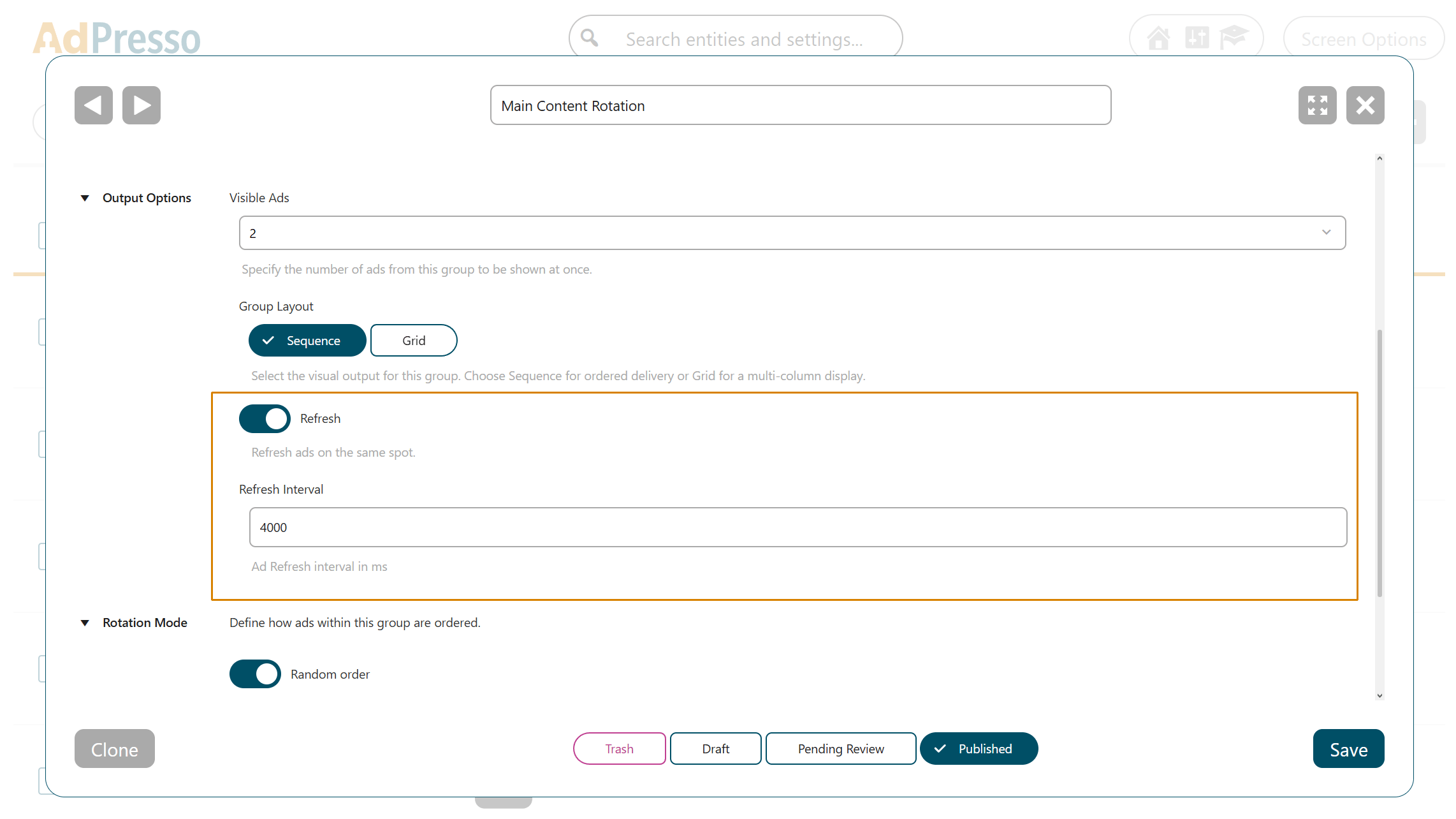
It is recommended to avoid very short intervals. Frequent refresh cycles can disrupt the reading experience. Therefore, a balanced interval ensures dynamic ad delivery without negatively affecting user engagement.
To maintain accurate reporting, AdPresso applies a session-based tracking logic for ad refresh. The plugin counts each initial ad appearance as a single impression per session, regardless of how many times it is reloaded within the group.
This approach prevents inflated impression counts and ensures that your performance data remains reliable and meaningful.
