Modern data protection regulations, such as GDPR, require explicit user consent before loading scripts or transferring data to third-party providers. AdPresso provides built-in mechanisms to align ad delivery with these legal requirements. The system blocks privacy-critical creatives until the user grants consent through a corresponding banner or tool. You configure this once in the settings, without modifying any ad code. For an overview of how consent methods, fallbacks and TCF controls fit together, see privacy-aware ad management with AdPresso.
These settings control the delivery of ad formats that can load third-party scripts or transfer data to external servers. When the privacy feature is active, it applies to all ad types except image ads and dummy ads.
Image ads and dummy ads are exempt by default, because they load from your own server and do not trigger external data transfers. Keep these details in mind:
adpresso_privacy_exceptional_ad_types.Note on bypassing: Every ad includes the checkbox Ignore Privacy Settings to bypass the global privacy settings for that single ad. This is particularly useful when using text links, product tables, or similar static content implemented via code that does not fetch any data from external sources.
The configuration panel is located in your WordPress dashboard under AdPresso > Settings > Privacy. From there, you can choose between four operational modes.
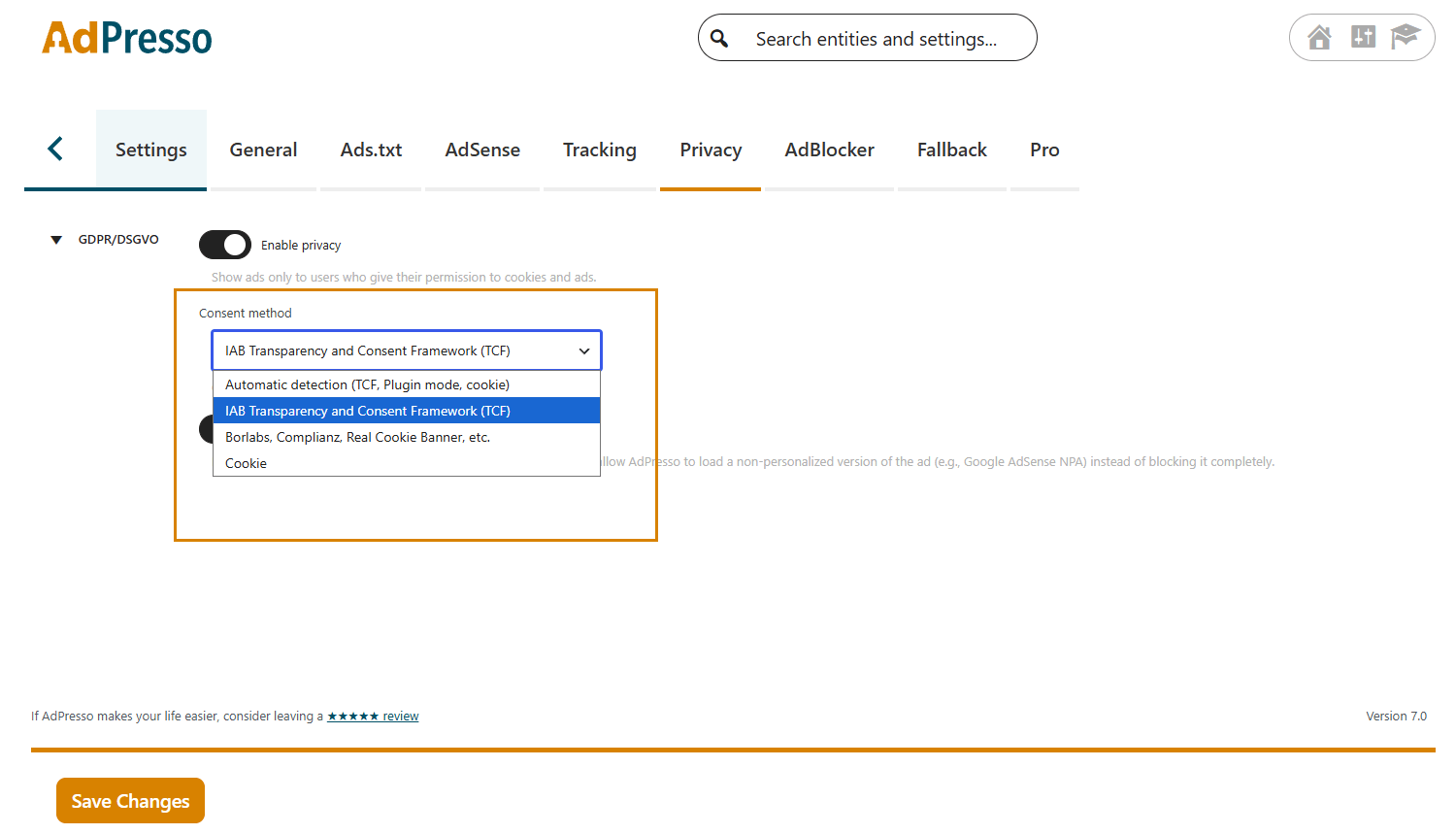
In this mode, AdPresso analyzes your website's existing technical setup. If the system detects an active Transparency and Consent Framework (TCF), it automatically switches to TCF Consent mode. If a local cookie plugin is registered instead, AdPresso switches directly to the Consent Plugin Integration mode.
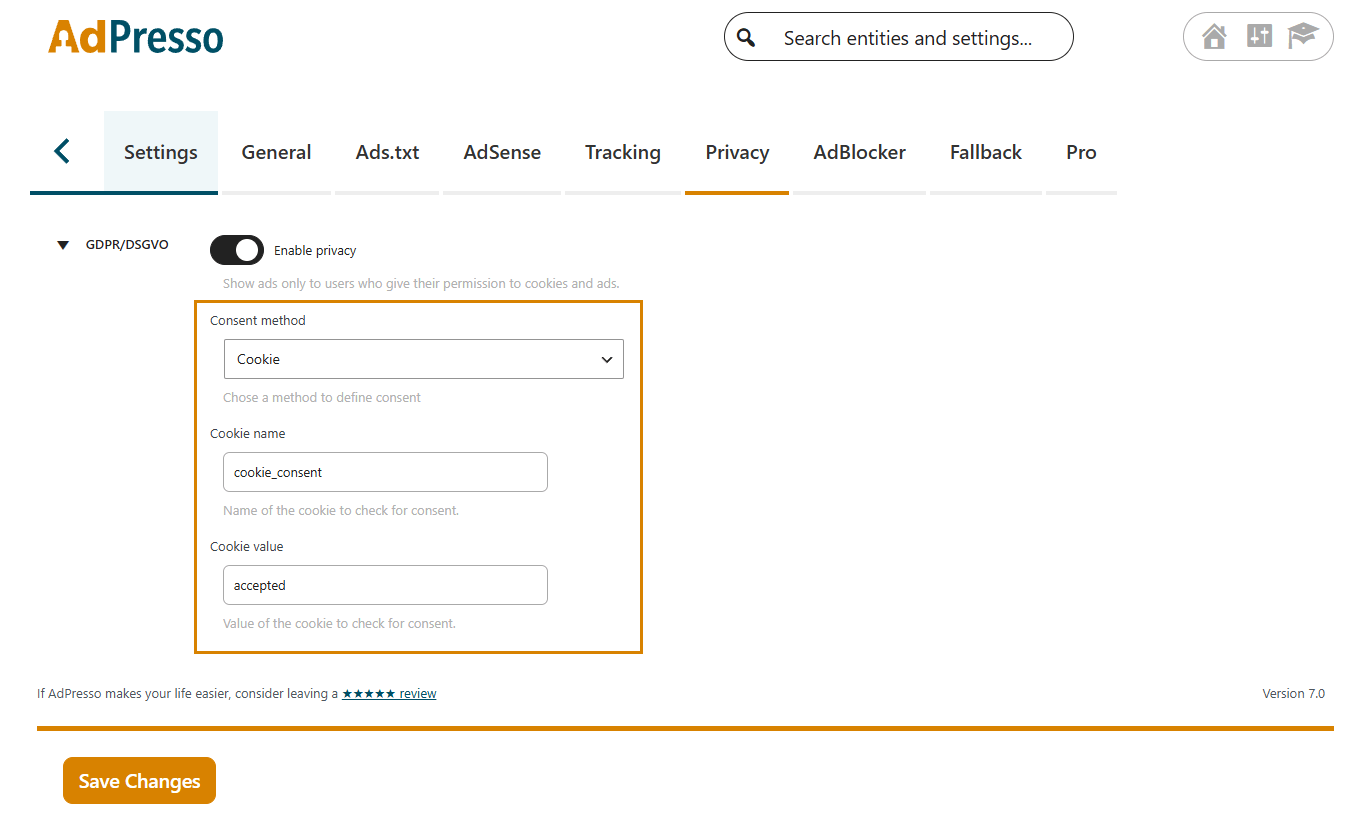
This method applies when your consent solution stores the user's choice in a specific browser cookie. In the AdPresso privacy settings, enter the exact name of the cookie and the required value that indicates consent.
AdPresso delivers the affected ads only if this specific cookie-value combination is active in the user's browser.
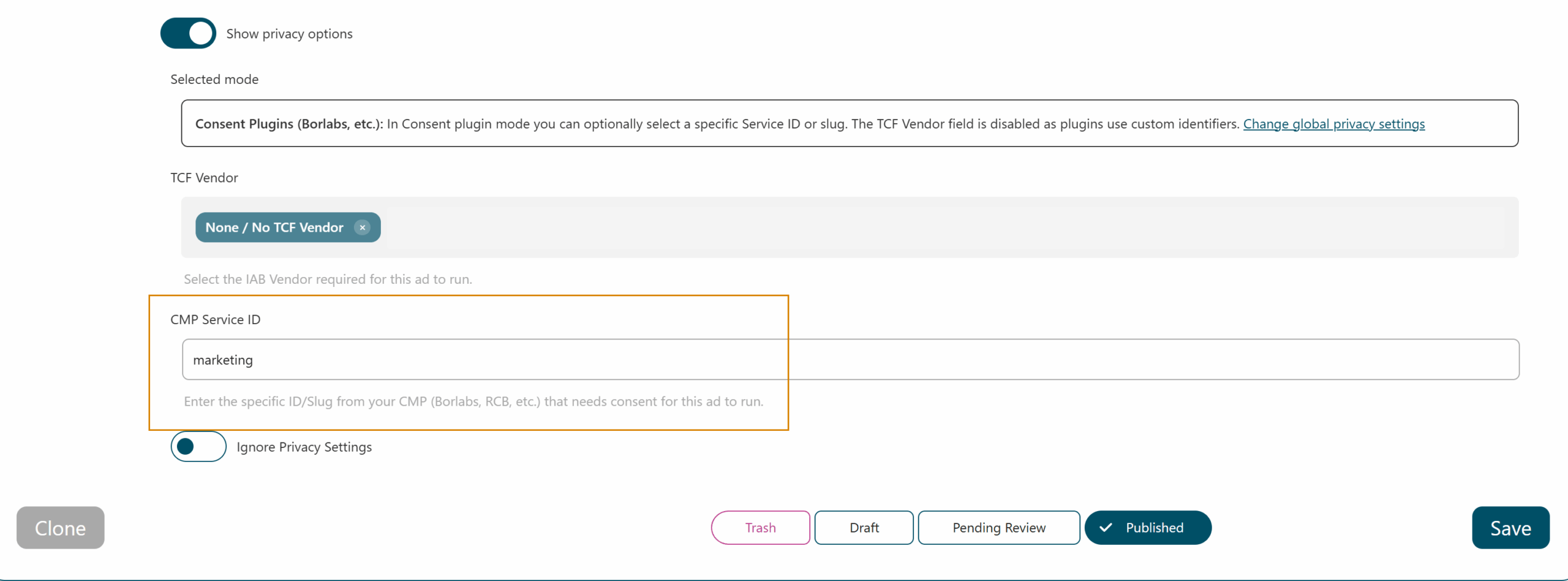
This mode ensures compatibility with third-party consent plugins such as Borlabs, Complianz, or Real Cookie Banner. AdPresso blocks the delivery of privacy-relevant ads until the user provides consent.
You can manage the behavior via specific service IDs:
The Transparency and Consent Framework (TCF) standardizes consent signals across the industry. What the 2026 TCF updates mean for WordPress publishers. AdPresso supports the IAB TCF and goes beyond it: it reads the consent signal from your CMP and checks it against each ad’s requirements. AdPresso Pro can additionally check consent for individual TCF vendors.
adpresso_privacy_tcf_purposes_personalized and adpresso_privacy_tcf_purposes_npa to match specific legal interpretations or CMP configurations.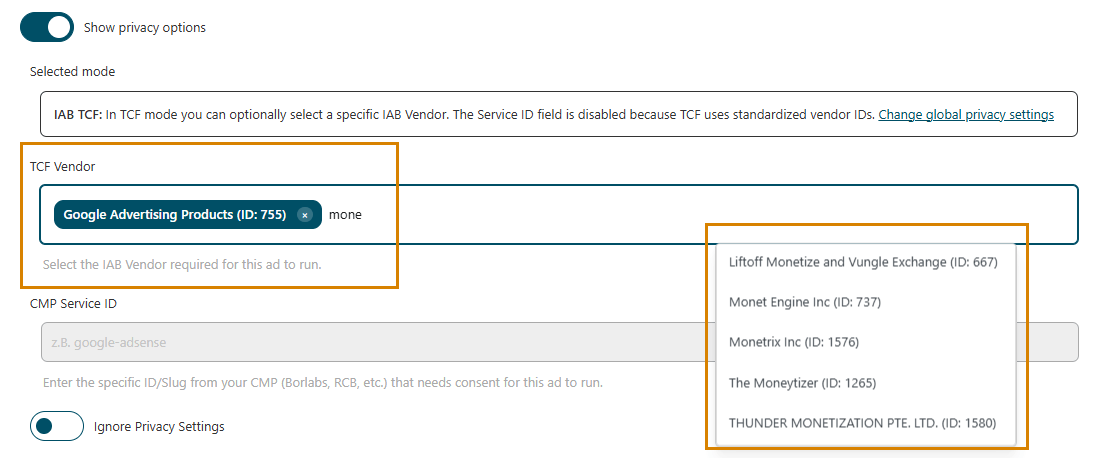
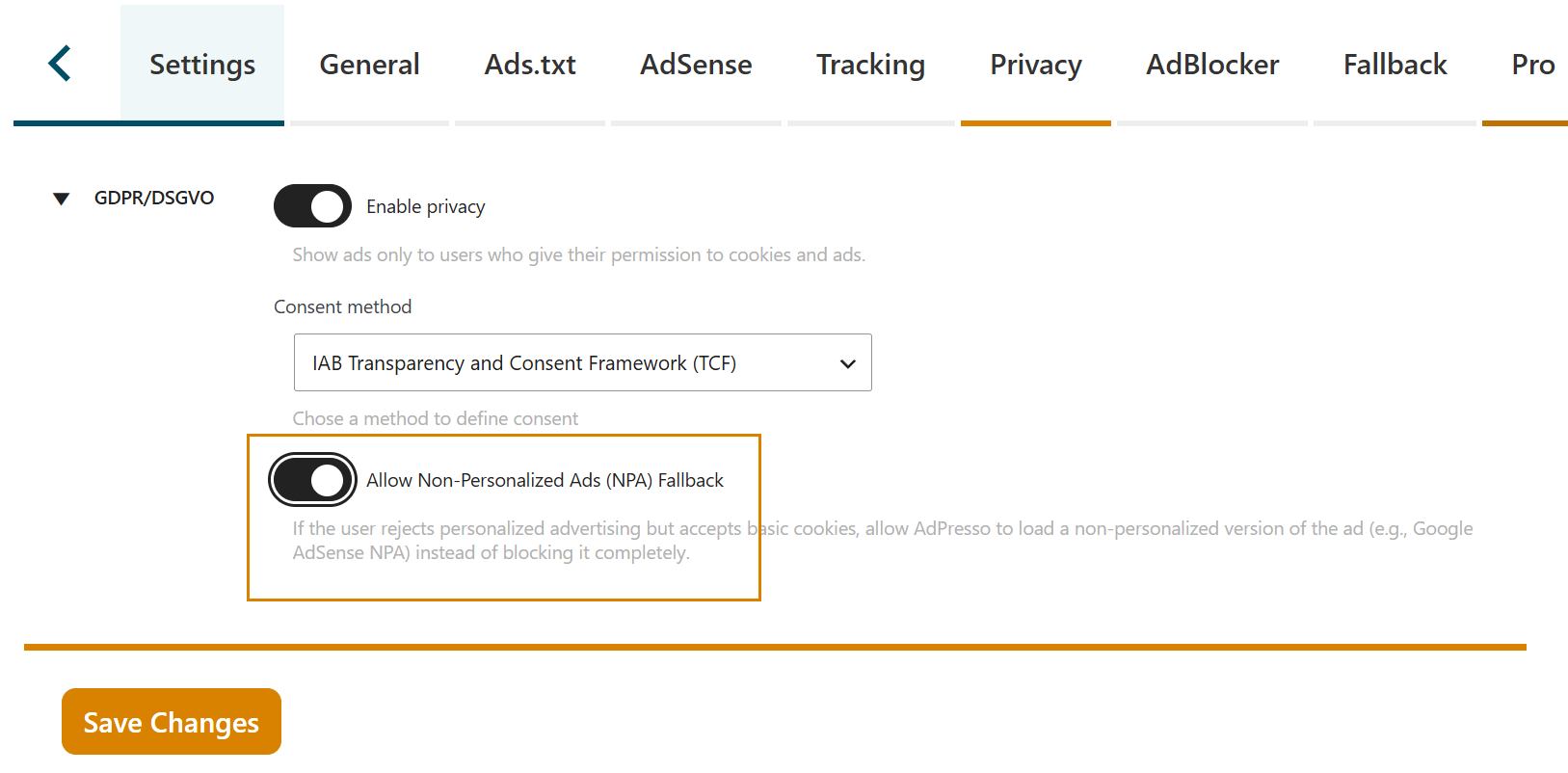
When using the TCF method, an additional option becomes available. If a user rejects personalized advertising but consents to storing information on the device (Purpose 1), AdPresso does not have to block the ad completely. Instead, it can request non-personalized ads from Google AdSense and Google Ad Manager. By default, this requires consent for Purposes 1, 2, 7, 9 and 10.
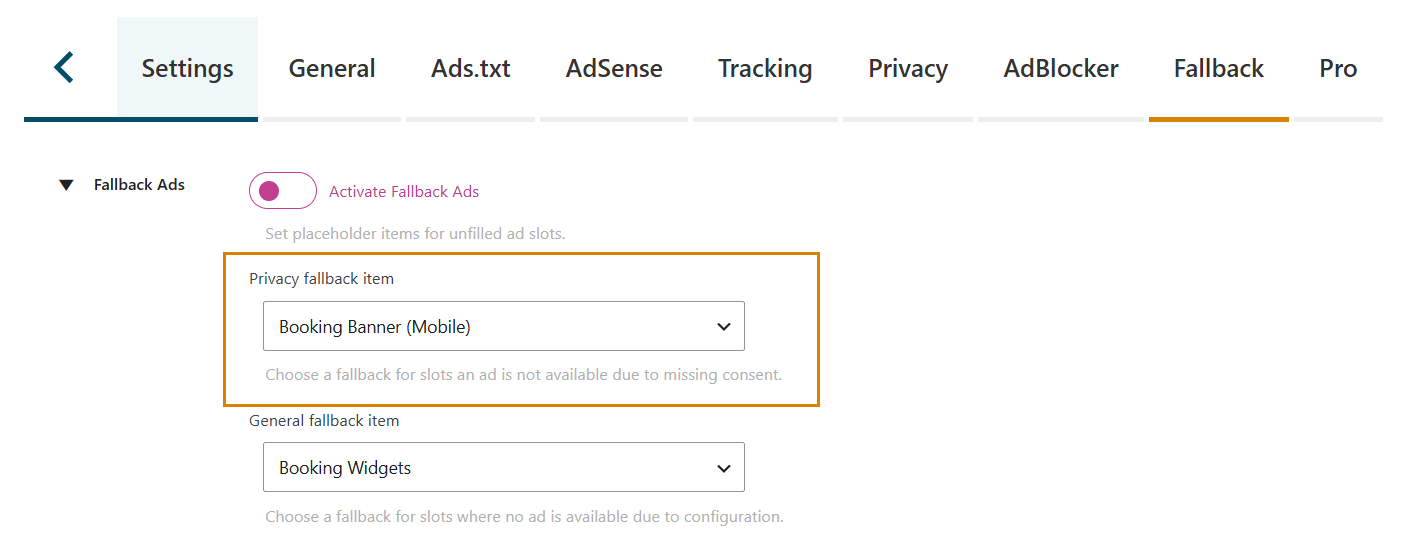
Blocking ads due to missing consent typically leaves empty spaces in your website layout, disrupting the visual structure and reducing potential revenue. AdPresso resolves this issue through an integrated fallback system.
When the system registers a privacy-related block, it does not stop the delivery process. Instead, it automatically switches to a predefined alternative ad or ad group that does not require user consent, such as internal banners or local image ads, so your ad spaces stay filled.
You can configure these alternative assets under AdPresso > Settings > Fallbacks.