For publishers, ad placement is always a balancing act. Ads need enough visibility to generate revenue, but they should not get in the way of the content people came to read. Standard banner placements work well in many situations, yet they disappear as soon as a visitor scrolls past them.
Floating ads take a different approach. They remain visible within the browser viewport while the page content moves underneath or around them. Depending on the format, a floating ad can stay attached to the top or bottom of the screen, sit in a corner, or appear as an overlay.
This persistent visibility makes floating formats useful for campaigns that need to stay in view. It also means publishers need to pay closer attention to placement, frequency, screen size, and user experience.
For WordPress publishers, AdPresso Pro provides dedicated placements for sticky bars and other high-impact formats. This lets you manage these ads from the WordPress backend instead of adding custom code to individual pages.
A floating ad stays in a fixed position within the user’s viewport instead of scrolling away with the page content. A common example is a sticky ad attached to the bottom of the screen. The visitor can continue scrolling through an article while the ad remains visible. Other implementations place the ad at the top of the viewport or in a corner.
The term “floating ad” is sometimes also used for overlay formats that appear above the page content. These advertisement formats work differently from a persistent sticky bar because they usually appear at a specific point in the user journey and may cover part of the page.
The key difference is how the ad relates to the viewport. A standard in-content ad belongs to the page layout and eventually moves out of view. A floating ad stays attached to the visible browser area.
Sticky anchor ads remain attached to the top or bottom of the viewport. They are especially common on mobile devices, where screen space is limited.
Corner ads sit in a fixed position such as the bottom right or bottom left corner. They usually take up less space than a full-width sticky bar.
Overlay ads appear above the page content. They can be triggered when a page loads, after a certain interaction, or at another defined point in the user journey. Because they can cover content, frequency and dismissal options matter here.
These formats are related, but you shouldn’t automatically treat them as interchangeable. A sticky footer bar affects the reading experience very differently than a full-screen overlay.
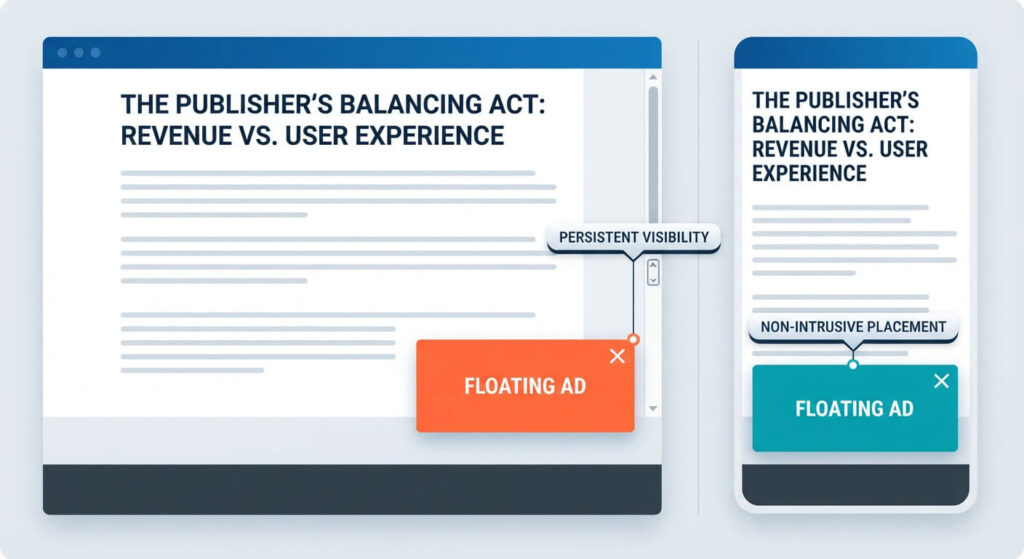
Floating ads give publishers access to a part of the viewport that remains visible while visitors browse the page. That can be useful when a campaign needs sustained exposure or when a publisher wants to add another monetization opportunity without inserting additional ads into the article itself.
A conventional banner is only visible while it is within the viewport. A sticky format stays in view as the visitor scrolls, creating more opportunities for a viewable impression.
That does not mean every floating ad automatically produces better revenue. Actual performance depends on factors such as demand, ad size, device, placement, frequency, and how users interact with the format. Viewability is one metric to monitor, but it should be considered alongside revenue and user engagement.
Floating formats can add an advertising position without placing another banner between paragraphs. This can be useful for publishers who want to keep the article structure relatively clean.
There is still a trade-off. The ad occupies part of the user’s viewport for as long as it remains active. On a small mobile screen, even a relatively compact sticky unit can take up noticeable space.
Sticky formats are particularly relevant for mobile websites because the viewport is small and visitors scroll frequently. A publisher can use a mobile-specific placement rather than trying to fit a desktop-oriented banner into the article layout.
AdPresso Pro supports conditions, which you can use to restrict a placement to specific devices.
The main challenge with floating ads is simple. The more consistently an ad stays visible, the more space it can occupy in the user’s viewport.
A sticky bar that leaves enough room for the content can become a useful part of the page. A format that covers navigation, text, buttons, or other important elements quickly becomes frustrating.
The same applies to overlays. Repeatedly showing an overlay can interrupt the reading experience, especially when visitors try to access the same site across several pages.
Performance also needs attention. Fixed positioning itself doesn’t automatically create a layout shift, but how an ad is implemented can still affect page rendering and interaction. Publishers should test the actual implementation rather than assuming that a floating format is either harmless or problematic by definition.
A good setup considers the ad’s size, position, the device, display frequency, and how easily visitors can close or dismiss it.
AdPresso Pro includes dedicated placement types for high-impact formats. The Sticky Bar placement can keep an ad attached to the top or bottom of the viewport while visitors scroll.
For WordPress publishers, the placement stays part of the central AdPresso setup. You can assign ads or ad groups and manage conditions and layout settings from the backend instead of adding the same implementation manually to individual posts.
Conditions let you control where a floating placement can appear. For example, you can restrict a sticky placement to mobile devices, while the assigned ad can have additional conditions for the content where it should appear.
Both levels of conditions have to match before the ad is displayed. This gives publishers more control than simply placing one floating ad across the entire website.
The ad should not obscure important elements of the page. This is particularly important on mobile, where the same ad takes up a much larger proportion of the viewport.
For formats that cover part of the page, a clearly visible close control is essential. Visitors should not have to hunt for a way to remove an ad that blocks the content.
This is especially relevant for overlay formats. A sticky bar that stays at the edge of the screen and an overlay covering the article should not be treated as the same user experience.
A floating format that works well on desktop may be too large for a phone. Device conditions allow different approaches for different screen sizes.
For example, a publisher might use a bottom sticky bar on mobile while using a less intrusive placement on desktop. The key is to test the actual page rather than assuming one configuration works equally well everywhere.
Floating ads are designed to remain visible, but visibility is only one part of the equation. Publishers should compare revenue with metrics such as viewability, clicks, page engagement, and the performance of the surrounding ad inventory.
If a floating unit generates additional impressions but reduces engagement or interferes with other valuable placements, the extra inventory may not provide the expected benefit.