Heavy pages with numerous ad units often suffer from slow initial load times. Lazy Loading solves this by delaying the delivery of ads until the user actually needs them.
Instead of requesting every creative immediately, AdPresso triggers the render process only when a placement approaches the visible viewport, keeping network requests lean and ensuring a fluid browsing experience.
To use Lazy Loading, activate it globally in AdPresso > Settings > Pro. This step unlocks the feature across your setup and lets you define the threshold.
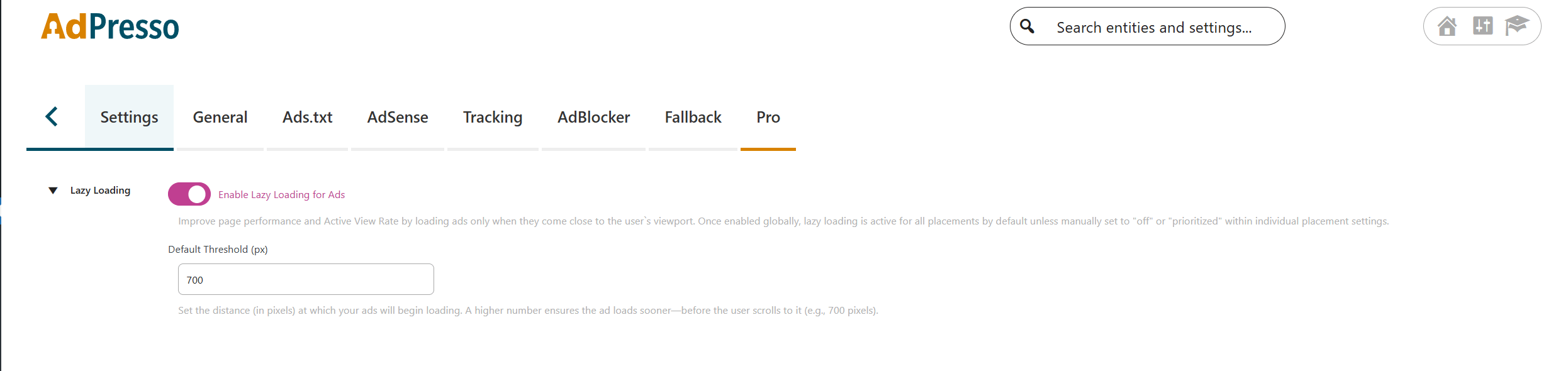
The threshold defines the distance in pixels at which an ad starts loading. A higher value, like 700px, ensures the creative finishes rendering before the user scrolls it into full view. This global setting applies to every placement with active lazy loading by default.
While AdPresso enables lazy loading by default for all new units, you can override this behavior for specific placements. You find these options within the Performance section of the placement edit modal.

Some high-value placements in the header or top sidebar require immediate visibility. For these cases, AdPresso offers a priority setting. This option bypasses the threshold logic, forcing the ad to load instantly during the initial page request.
Adjusting these settings allows you to balance lightning-fast page speeds with the specific visibility needs of your different ad spots.
