The General Pages condition provides a structured way to target predefined WordPress page types without relying on URLs, IDs, or manual classifications. It uses WordPress core logic to determine the context of the current request and matches it against the selected page type.
This makes it particularly useful for setups where content is generated dynamically, such as archives, search results, or the blog index page, and where, therefore, manual targeting would be impractical or error-prone. By selecting from standardized page types, you can apply consistent display rules across your entire site with minimal configuration.
Refers to the page configured as the site’s main entry point in Appearance > Customize > Homepage Settings. This is typically the root URL of your domain. If a static page is assigned as the homepage, this condition applies specifically to that page—not to the blog feed, even if it appears on a separate URL.
https://yourdomain.com/Refers to the page assigned as the “Posts page” in Appearance > Customize > Homepage Settings. This page displays a dynamic list of posts in reverse-chronological order and serves as the central blog index when a static homepage is used.
Describes any view that displays a single, standalone content item. This includes individual posts, static pages, and custom post types. It excludes all list-based views such as archives, search results, or blog indexes.
https://yourdomain.com/p=123Refers to the system-generated page shown when a requested URL does not exist. This view is not tied to any actual content and is triggered when WordPress cannot resolve the request.
https://yourdomain.com/non-existent-page/Describes the dedicated page WordPress creates for individual media items from the media library, such as images, PDFs, or videos. This is a separate URL from the post or page where the media is embedded.
https://yourdomain.com/my-post/image-name/Refers to the dynamically generated page that displays results from the internal WordPress search function. It is identified by the presence of a search query parameter in the URL.
https://yourdomain.com/?s=seoPerforms a broad check to determine whether the current view is an archive page. This applies to all pages that dynamically list multiple posts.
Covers all archive-based views, including categories, tags, date-based archives, author archives, and custom post type archives.
Refers to the archive page that lists all posts published by a specific user account.
https://yourdomain.com/author/john-doe/Describes the archive page for a standard WordPress category, displaying all posts assigned to that category.
https://yourdomain.com/category/marketing/Refers to the archive page that lists all posts associated with a specific tag.
https://yourdomain.com/tag/seo-tips/Describes archive pages generated by custom taxonomies beyond default categories and tags. These are typically registered by themes or plugins and used for more specialized content classification.
https://yourdomain.com/event-type/webinar/You can apply this condition to individual ads, ad groups, or entire placements:
From this point on, the item will only load on the selected page types.
For a broader explanation of how conditions in AdPresso work, see the general conditions documentation.
In some cases, you may want to prevent specific ads or placements from appearing on 404 error pages—without disabling ad injection globally. This is particularly relevant for staying compliant with certain ad network policies that prohibit ads on error pages.
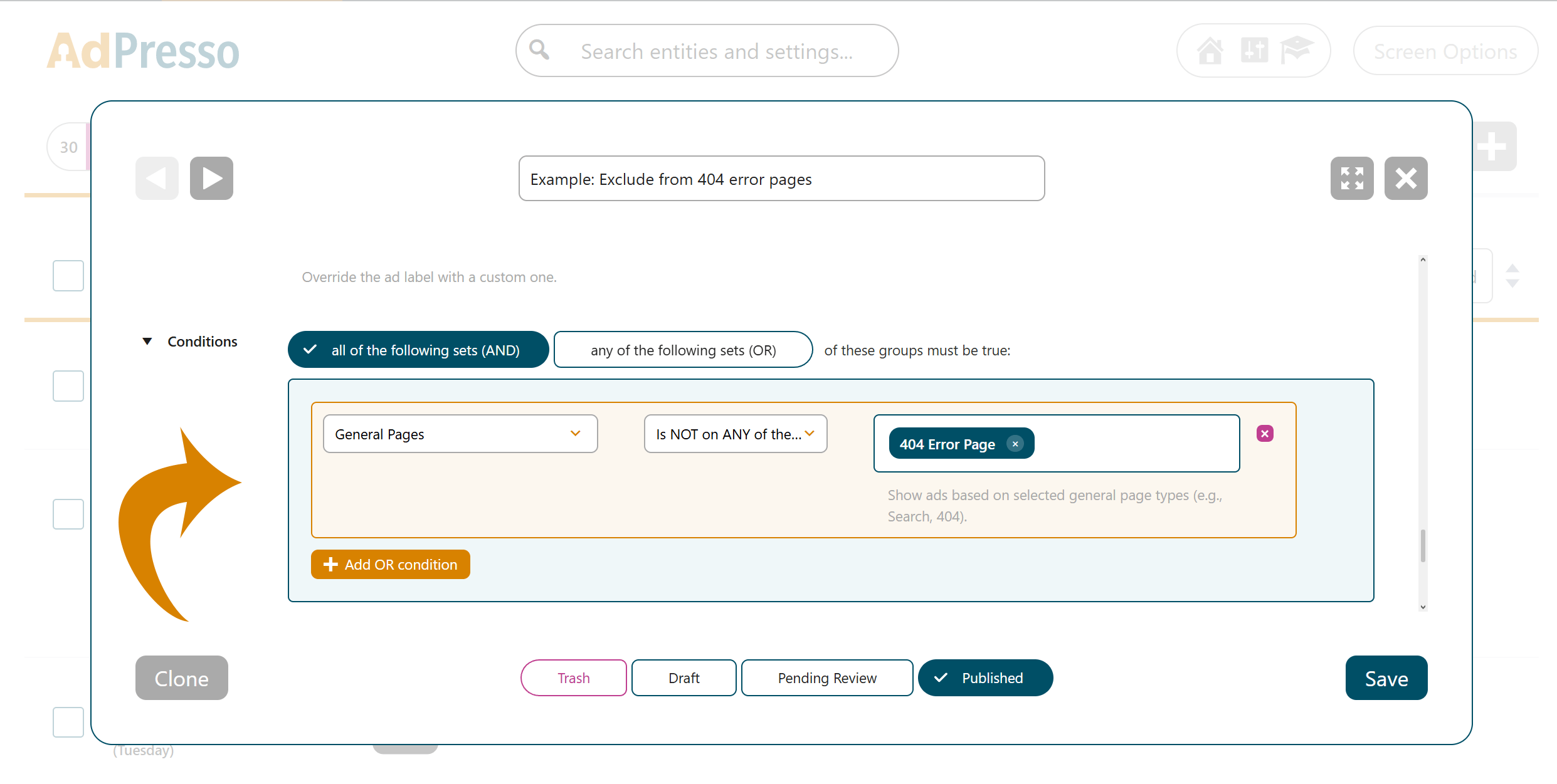
AdPresso will now automatically prevent this item from being displayed on 404 pages, while all other ad injections remain unaffected.
